What Steps Can You Take to Harden Microsoft Edge Against Cyber Threats?
Configuring Microsoft Edge Security Settings to Reduce Attack Surface
How can Microsoft Edge enhance your organization’s security posture today? Microsoft Edge includes several built-in security features that can help reduce attack surfaces, enforce least privilege browsing, and protect users from phishing and malware. Let’s look at how you can configure these features to strengthen endpoint security.
Step-by-Step Guide:
-
Open Microsoft Edge Settings: Launch Edge and click the three dots (Settings and more) > Settings.
-
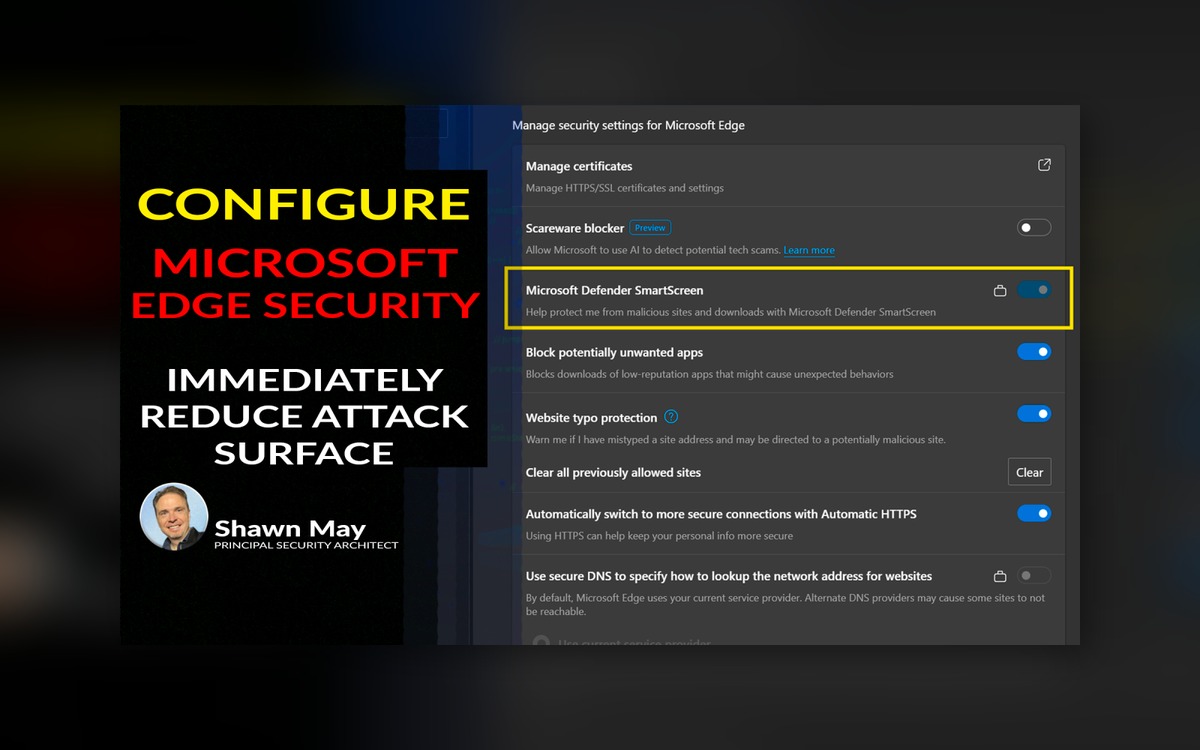
Enable Enhanced Security Mode: Navigate to Privacy, search, and services > Scroll down to Security > Toggle on Microsoft Defender SmartScreen to block malicious sites and downloads.
-
Turn on Tracking Prevention: Under Privacy, search, and services, set Tracking prevention to Strict to limit cross-site trackers and reduce data leakage.
-
Configure Password Manager Security: Go to Profiles > Passwords and enable Offer to save passwords with Warn about breached passwords to encourage strong, unique passwords and reduce credential exposure.
-
Set up Application Guard for Edge (if available): For enterprises with Windows 10/11 Enterprise or Microsoft 365 E5, enable Windows Defender Application Guard for Edge through group policy or Intune to isolate browsing sessions in a lightweight container.
-
Manage Site Permissions: Go to Settings > Cookies and site permissions > Review permissions such as camera, microphone, location, and block or limit them to least privilege needed for users.
-
Deploy Edge Policies via Intune or Group Policy: Use Microsoft Endpoint Manager or AD group policy templates to enforce security configurations organization-wide, ensuring consistency and compliance.
-
Keep Edge Updated Automatically: Verify that auto-updates are enabled under About Microsoft Edge to ensure users get the latest security patches without delay.
Implementing these Microsoft Edge security settings strengthens your organization’s defense against phishing, malware, and data leakage while enforcing least privilege browsing. Proper configuration reduces risk and supports your overall endpoint protection strategy. Reach out if you want help rolling out these controls effectively.