Phishing-Resistant MFA for Admins Without the Lockout
When the auditor asks you to show that your admins can't be phished, what do you point to? And if you turned the requirement on before they'd registered a key, who lets you back in? Owning MFA and applying it well aren't the same thing. This piece is about the second one: getting phishing-resistant MFA onto your admins, in the order that keeps you out of a lockout and ready to prove it.
Your team spent last year getting everyone onto MFA. The texted codes, the app taps. It stuck, the help desk went quiet, and for a while "yes, we have MFA" answered anyone who asked. That's real work, and plenty of shops your size never finish it. But the bar moved. The renewal form and the security questionnaire don't ask whether you have MFA anymore. They ask whether the phishing-resistant kind is on your admins, and whether you can prove it.
Phishing-resistant MFA is the strongest rung of Microsoft’s authentication strengths: methods like FIDO2 security keys, passkeys, and Windows Hello for Business (biometric sign-in) that are tied to the genuine sign-in site. A texted code or an emailed link can always be relayed through a fake page or captured. These can’t. At this level you stop treating every second factor as equal and start choosing which method for whom, admins first, rolled out as a real project so nobody gets locked out.
The code you rolled out can be handed to an attacker
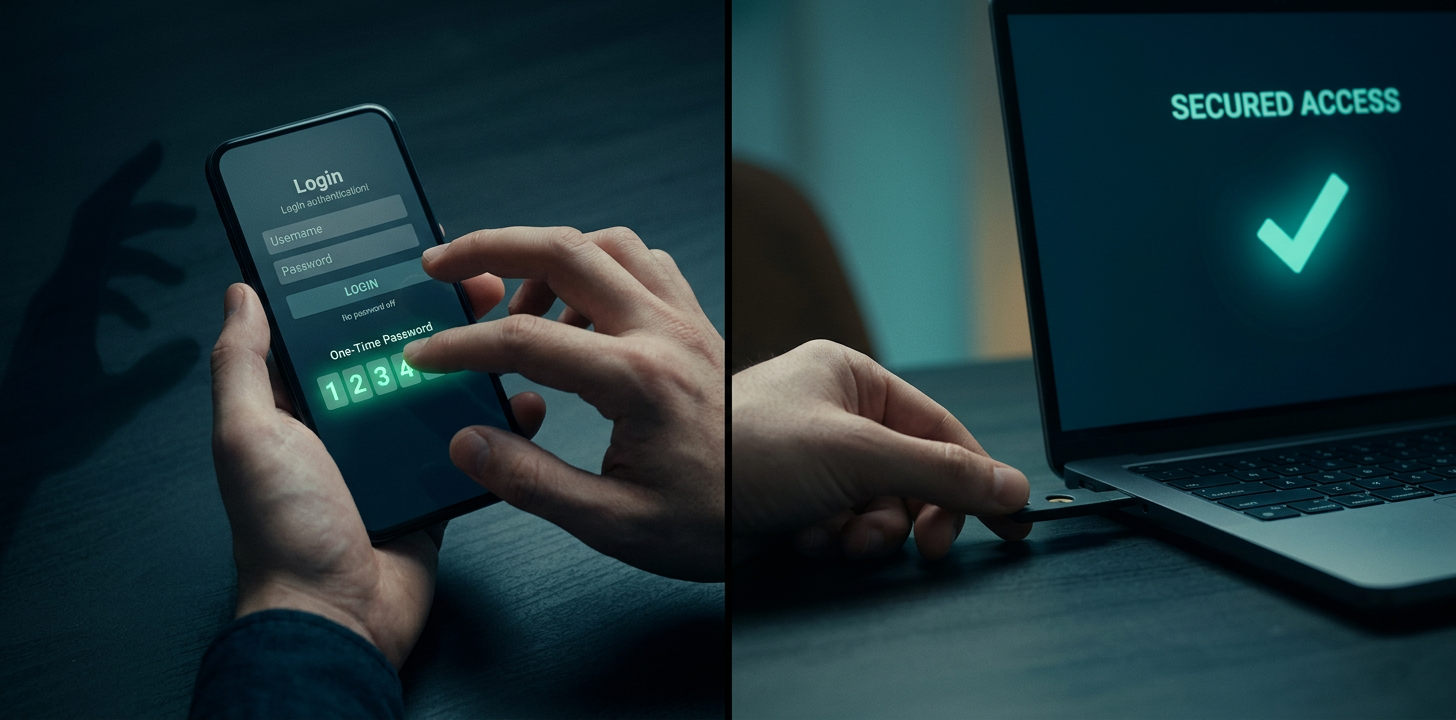
Not all second factors are equal. A texted code and a security key both count as MFA, but one can be lifted through a fake sign-in page and the other can't. This level of MFA is about choosing which method for which people, and moving those accounts that matter most onto the kind an attacker can't trick out of them.
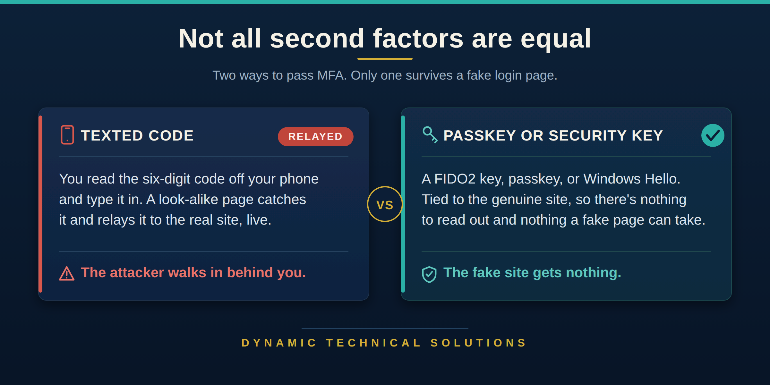
Picture your accounts-payable clerk. She hits a convincing fake sign-in page, types her password, then reads her texted code into it. An attacker in the middle passes that code to the real site the instant she types it, and boom – he's in. Give her a passkey instead and there's nothing to read out and nothing to type. It won't work on a site that isn't the real one, and the attack stops cold in its tracks. That's Microsoft's definition of phishing-resistant: the credential only works with the genuine site it was made for.
Having it switched on isn't the same as having it right
Switching MFA on is merely owning a tool. Setting the right method individually for each group, and transiting without breaking anyone, is a craft. That gap is baked into the word “technology” itself. It comes from the Greek *tekhne*, meaning art, craft, or skill, plus *-logy*, the study of. Technology was never just knowing a thing. It's the skill of putting what you know to work.
Here's the part that matters when you run a team. A craft isn't a box you check once. It decays. The engineer who set up your MFA two years ago and then stopped keeping up hasn't done anything wrong, but the skill has gone stale while the threats advance. Codes gave way to relay attacks, relay gave way to stolen sessions. Left alone, the craft fades and the door you thought was shut drifts back open, and nobody notices until an incident does it for you.
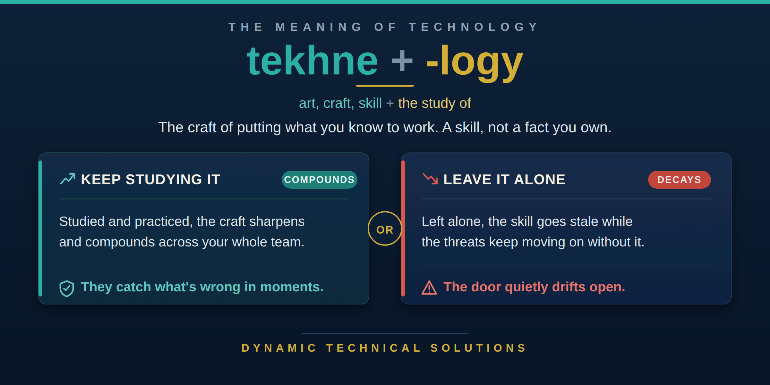
The other direction is where the payoff lives. A team that keeps studying the craft compounds it. They read a policy and catch what's wrong in moments, they see the next attack coming, and they move the company before an attacker forces the change. That's the TRUE difference between a tool sitting in your tenant and a skill living in your team. It's where our coaching goes deep, so that the craft belongs to your people, not one person's memory or some long forgotten document.

Put phishing-resistant MFA on admins first, without the lockout
Start with the accounts that can wreck everything. Your admins. Microsoft's own template requires the phishing-resistant strength for fourteen privileged roles, Global Administrator on down, because a compromised user is a bad day but a compromised Global Admin is the whole tenant. Regular users can stay on plain MFA while the high-value targets climb this ladder first.
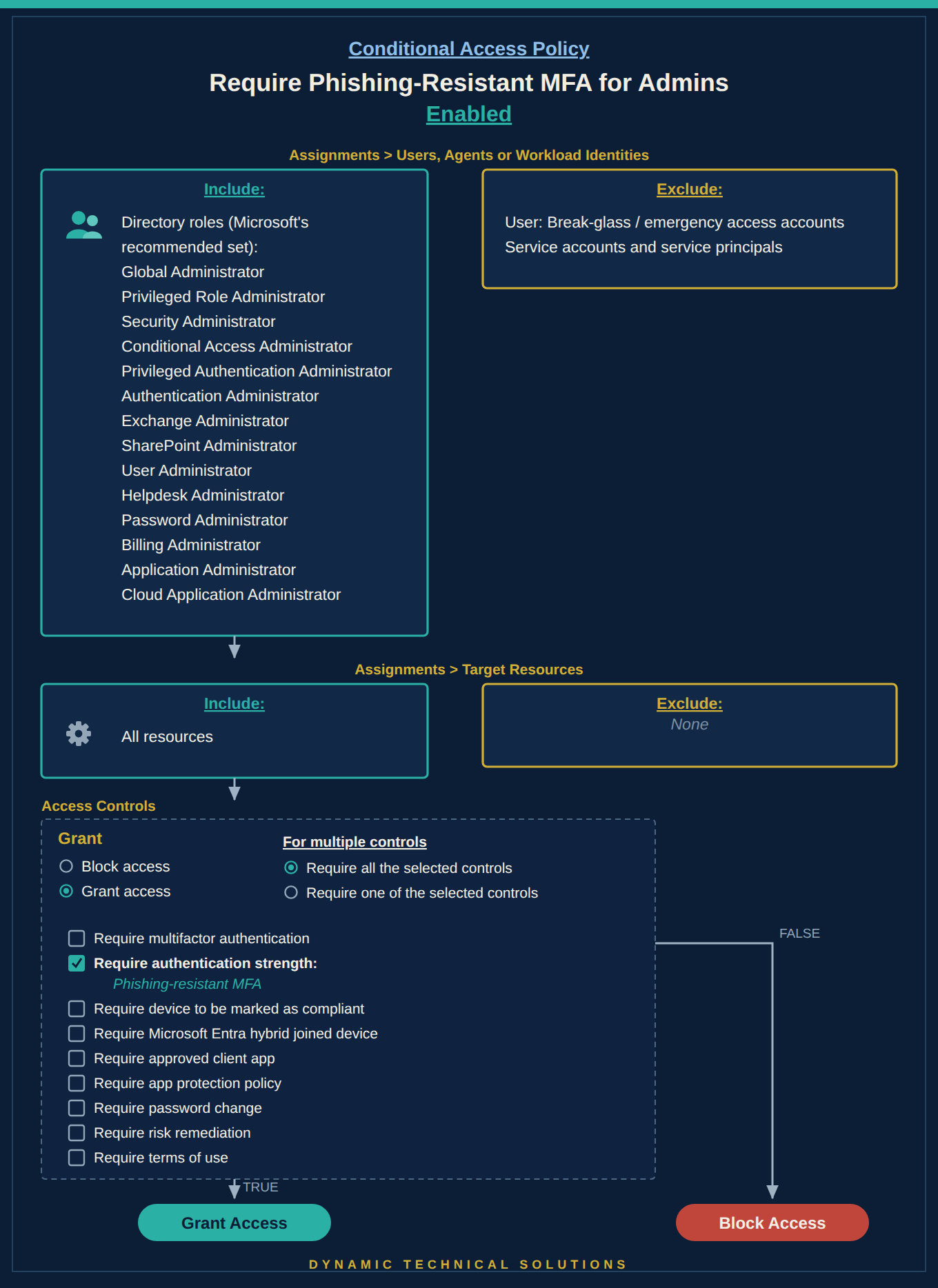
The catch isn't breakage, it's readiness. Enforce phishing-resistant MFA before your admins have a qualifying key registered, and in Microsoft's own words you risk locking yourself out of your tenant. So the order is fixed:
- Register the methods first
- Drive adoption
- Enforce.
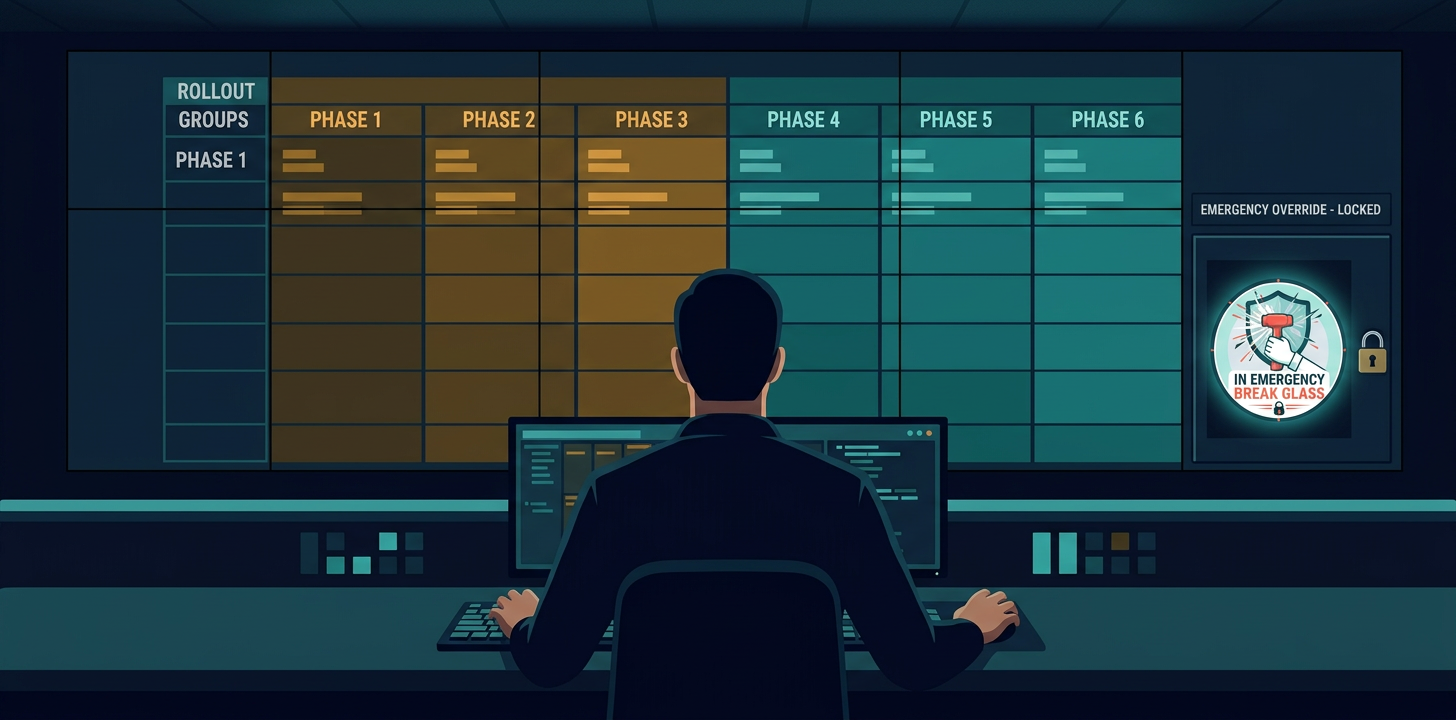
For an admin who has nothing strong to sign in (authenticate) with yet, a Temporary Access Pass (TAP) is what gets them through the front door to set up their real one, which is where our MFA registration coaching picks up. Always ensure to keep break-glass accounts excluded, maintain two methods on every admin account so a lost key isn't a lockout, and run it report-only first, every time.
Once your high-risk accounts are done, everyone else can also receive the same phishing-resistant methods and policies. Keep in mind, you would never just flip it on for the whole company in one night. You turn it on in batches – one batch of people at a time, allowing it to settle, then move to the next batch giving each fair warning before their turn comes.
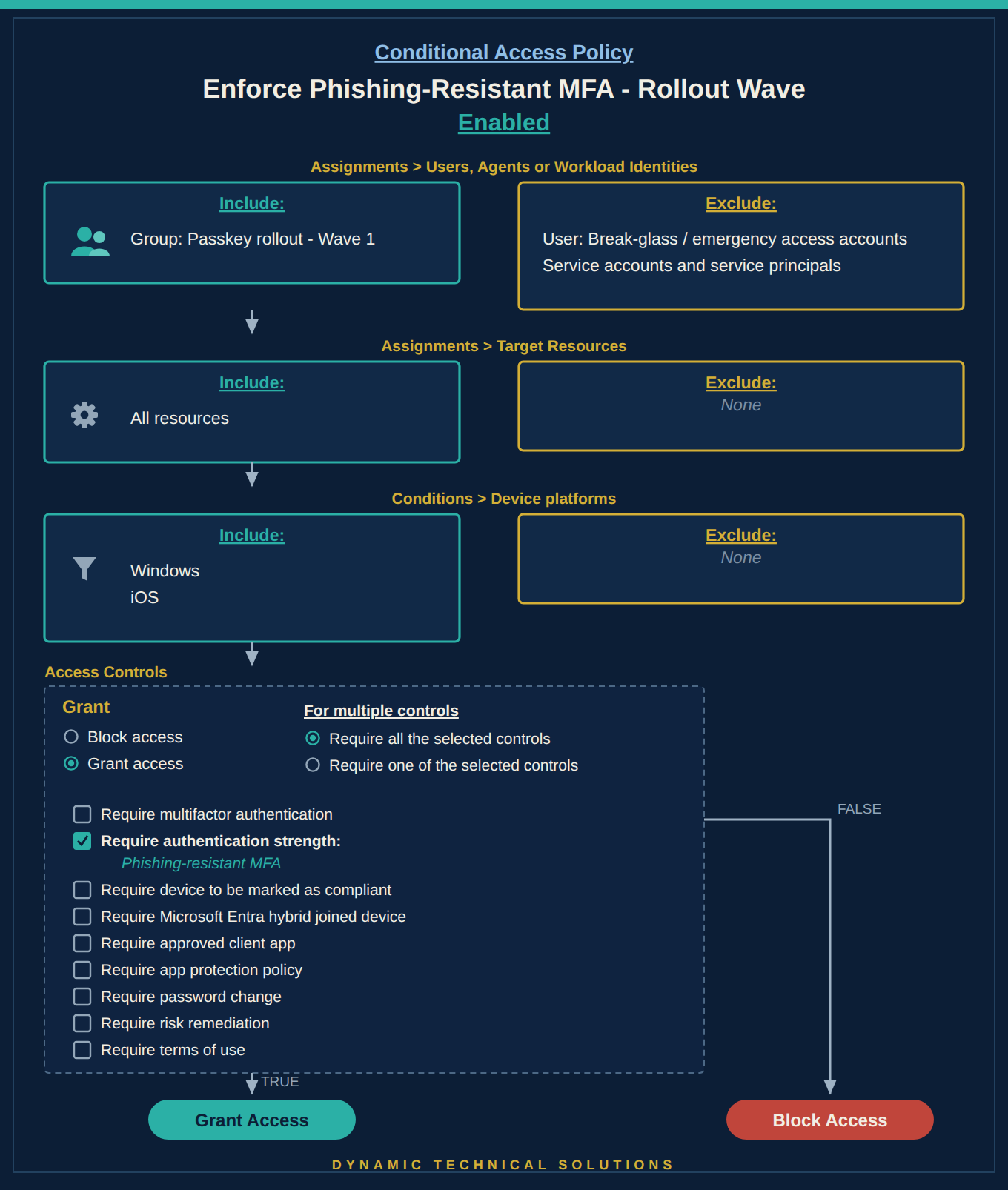
None of that is a spare-afternoon job. Splitting the estate into groups, sequencing the waves, catching the admin whose tool doesn't accept a key, that's skilled work, and it's the piece we build coaching around so it goes in cleanly instead of blowing up your queue.
One move to make this week
Here's the part that feels good for anyone working security. Picture yourself a year from now, and these items aren’t on your list to do over. Your admins are all using strong authentication methods. Everyone properly got set up before you ever flipped the switch. Your break-glass accounts have their fully flushed out runbook for getting in. And that day the auditor comes asking, you're not digging through screenshots or lost documents at midnight. The proof's already there. Better yet, you got here without a brutal week. MFA went out in small groups, report-only first so nothing broke, and the help desk remained completely calm. So when the boss circles back to the question they always ask, is the strong kind on the accounts that matter, and can you show it, you get to just say proudly without flinching “absolutely”.
And you can factually start today – it's smaller than it sounds. Start by picking your admins, check who already has a security key or Windows Hello set up, and turn the admin policy on in report-only. Nobody gets blocked and nothing breaks. This just watches, and hands you a list of who's not ready yet. That list is your whole to-do, and it costs you nothing to find out where you stand.
FAQ
Q. Do we need a premium license for phishing-resistant MFA?
A. No. Authentication strengths, including the phishing-resistant one, run on Microsoft Entra ID P1, the same license your Conditional Access already uses. P2 only comes in later, when you want MFA to react to live risk on each sign-in.
Q. Why start with admins instead of turning it on for everyone?
A. Blast radius. A compromised regular user is contained. A compromised Global Administrator can lose you the whole tenant. Admins are the highest-value target, so they get the strongest proof first, and you widen it to everyone else in waves.
Q. Will this lock people out?
A. Only if you enforce before people can meet it. The order is register first, then enforce, with break-glass accounts excluded and a Temporary Access Pass to get people registered. Run it report-only and the log tells you exactly who isn't ready yet.
Q. Is passwordless the same as phishing-resistant?
A. No, and Microsoft keeps them as separate rungs on purpose. Passwordless MFA is any MFA that skips the password factor. Phishing-resistant is the stricter subset where the credential is tied to the genuine site. All phishing-resistant methods are passwordless, but not the reverse.
Glossary
Phishing-resistant MFA: The strongest built-in authentication strength. Methods tied to the genuine sign-in site (FIDO2 keys, passkeys, Windows Hello for Business, certificate-based sign-in) so a fake page has nothing to steal.
Authentication strength: Microsoft's Conditional Access control for which sign-in methods are allowed. Three built-in rungs: Multifactor authentication, Passwordless MFA, and Phishing-resistant MFA.
FIDO2 security key / passkey: A physical or device-stored credential that proves who you are without a password and only works on the real site.
Temporary Access Pass: A time-limited passcode an admin issues so a user can sign in once and register their first strong method.
Break-glass account: A tightly controlled emergency admin account kept out of restrictive policies so a scoping mistake can't lock everyone out.
Report-only mode: A policy state that logs who would be affected without enforcing anything, so you see the impact before you turn it on.