How to implement privileged time-based access controls.
Is Your Organization Handing Out Permanent Privileges to Attackers? That may sound dramatic, but every security breach involving stolen credentials shares one truth: the attacker did not need 24/7 administrative access… until they had it. The bigger question is, why did your team grant it in the first place?
At DTS, we design solutions to remove this silent risk, and one of the most powerful tools we use is Entra ID Privileged Identity Management (PIM)-enabled security groups.
What Are Entra ID PIM-Enabled Security Groups?
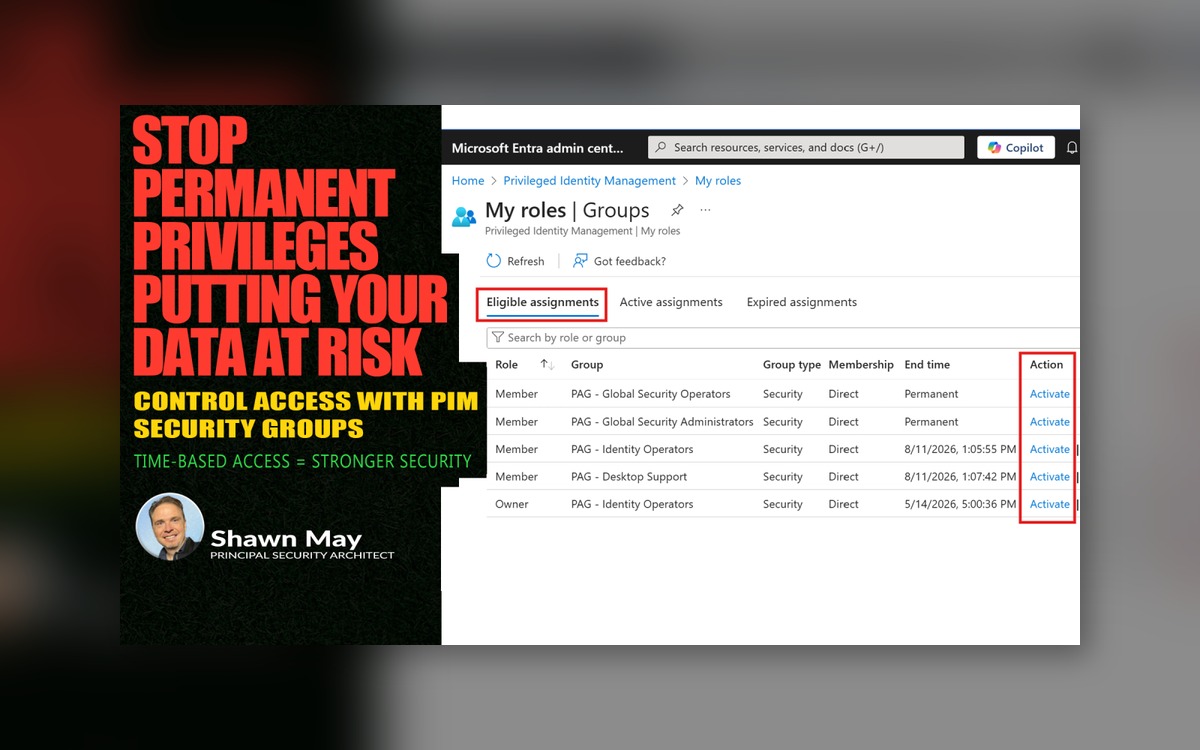
In plain terms, these are security groups in Microsoft Entra ID that are “PIM-aware.” They allow you to make group membership eligible rather than permanent. Members activate their access only when they need it, for a defined period, with built-in approval workflows and audit logging.
Think of it as trading an “always open” security gate for one that requires a time-limited, monitored key card (and yes, we think of attackers as uninvited guests).
Why Our Team Implements These Groups
Static security groups are like a guest list you never update. People leave, roles change, and suddenly you have former project members walking around with global admin privileges they should not have.
We implement PIM-enabled security groups for our customers because they:
-
Reduce the risk of credential theft abuse by removing standing privileges
-
Add governance controls that security teams can actually enforce
-
Provide flexible integration with other Microsoft and third-party RBAC models
The difference between traditional static groups and PIM-enabled ones is simple: static groups are persistent and prone to privilege creep, while PIM-enabled groups give you agility and precision, all while maintaining compliance-friendly audit trails.
Security and Operational Benefits
Whether the group is tied to Entra ID roles or not, the benefits are significant:
-
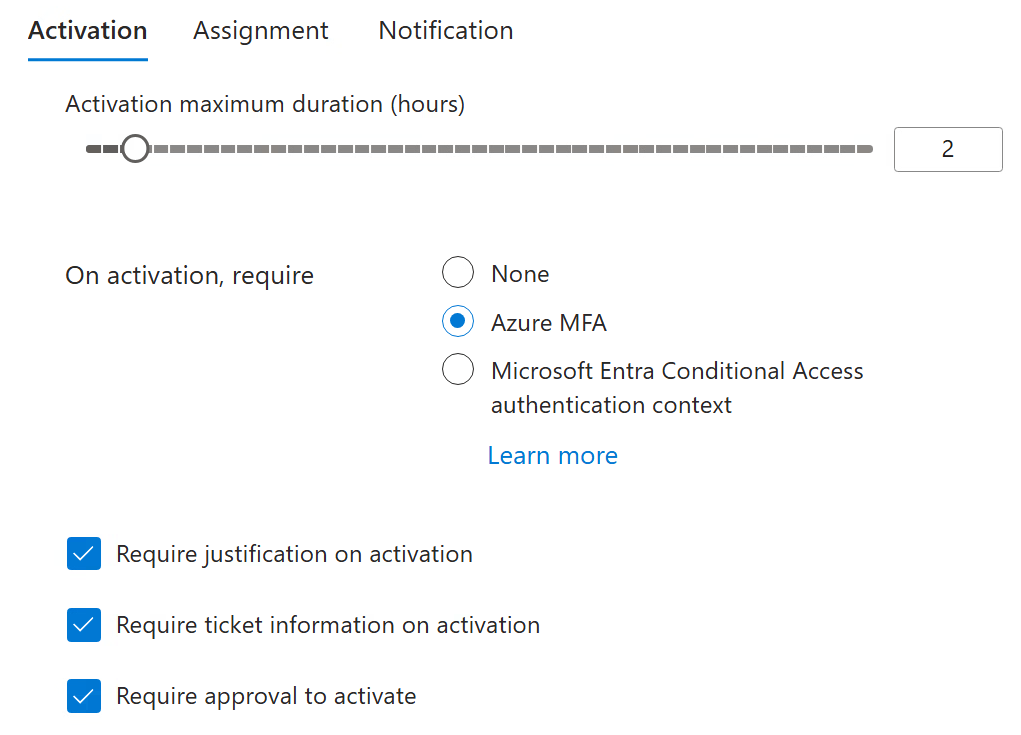
Time-based activation – Access is granted for hours, not months
-
Approval workflows – Built-in governance and oversight for critical actions
-
Auditing and alerts – Every activation is recorded for compliance and forensic analysis
-
Role flexibility – Works with Entra ID roles, Exchange Online RBAC, Microsoft Defender RBAC, Intune, and more
Three Common Use Cases We Deploy
-
Entra ID Roles Only Example: A PIM-enabled security group controls membership for Global Administrator and Privileged Authentication Administrator roles. Members request activation when elevated tasks are needed, reducing exposure windows dramatically.
-
Entra ID Roles + Exchange RBAC Example: A security group controls both the Exchange Online Organization Management role group and specific Entra ID roles. This allows approved administrators to work across identity and email infrastructure without permanent cross-environment privileges.
-
Non-Entra ID Role Defender RBAC Example: A security group with no Entra ID role assignments at all, but mapped to Microsoft Defender portal RBAC roles. Analysts can request temporary investigation privileges, then drop back to their baseline access automatically when the window expires.
💡 Helpful Hint: For privileged accounts in these scenarios, strengthen your security posture by combining higher authentication strengths (such as AAL3) with trusted device signals using Conditional Access policies. This ensures that even if credentials are compromised, attackers cannot activate elevated access without meeting the strongest verification and device trust requirements. See articles:
-
Upgrade Weak Authentication Methods Putting Your Network At Risk
-
PowerShell Security: 5 Must-Do Steps to Lock Down Your Environment Today – Part II
Why Time-Based Controls Matter?
Attackers thrive on standing privileges because they are easy to find and exploit. With PIM, an account’s elevated access is available only for a short, defined period (often just one or two hours). Even if credentials are compromised, the attacker has no high-value access unless they can also pass the activation checks in real time.
This security model becomes even more effective when paired with higher authentication methods (anti-phishing resistant) and Conditional Access policies, ensuring that any activation request is verified through strong multi-factor authentication and trusted device signals before access is granted.
From an operational standpoint, teams love it because it also prevents accidental “I forgot I was still an admin” moments. (We have all been there.)
The Bottom Line
Permanent admin rights are an open invitation for trouble. PIM-enabled security groups turn that invitation into a tightly controlled RSVP system, one that attackers will find nearly impossible to crash.
At DTS, we see these groups as an essential part of a modern identity governance strategy. They give our customers confidence that privileged access is both secure and operationally efficient.
If your security model still relies on static, always-on group memberships, it is time to rethink that approach. The right identity governance can make all the difference between a contained incident and a front-page headline.