Conditional Access Break-Glass Accounts: Would Yours Still Get You In?
When did anyone on your team last sign in with one of your Conditional Access break-glass accounts? I don’t mean spotting these in the user list. I mean actually signing in with them. And if a policy locked every administrator out of the tenant tonight, would you know that account still opens the door, or would you be hoping it does?
The second question is the harder one. Break-glass accounts usually get built early, by someone who wanted the safety net in place before real configuration work began. Then normal administration takes over, and because nobody expects to use these accounts day to day, they’re easy to stop thinking about. So who’s accountable for making sure the accounts that matter on your worst day still work?
Listen, this isn’t a criticism of your technologists. These accounts aren’t typically part of the day-to-day administration, so they’re easy to overlook. You need these accounts, and you need to understand why they’re built the way they are.
Even if you’re not a security expert, this VERY important idea is simple, and anyone responsible for technology should understand it.
A break-glass account, which Microsoft calls an emergency access account, is a cloud-only administrator account kept separate from normal admin dependencies so it can restore access when normal paths fail. Microsoft recommends at least two. In Conditional Access Foundation, each account is excluded by name from every Conditional Access policy and signs in only with a phishing-resistant passwordless method. We’ll get into this further.
Whether you’re the executive or the person at the keyboard, that understanding pays off long before anything breaks, and it belongs ahead of any future changes.
What is a Conditional Access break-glass account really for?
A break-glass account is your way back in when normal admin access (or routes) is cut off. It is intentionally separate (excluded) from the Conditional Access controls and authentication dependencies your daily admin accounts rely on. For leaders and technologists alike, knowing why these accounts are kept distinctly separate is what lets you switch on new security controls with complete confidence.
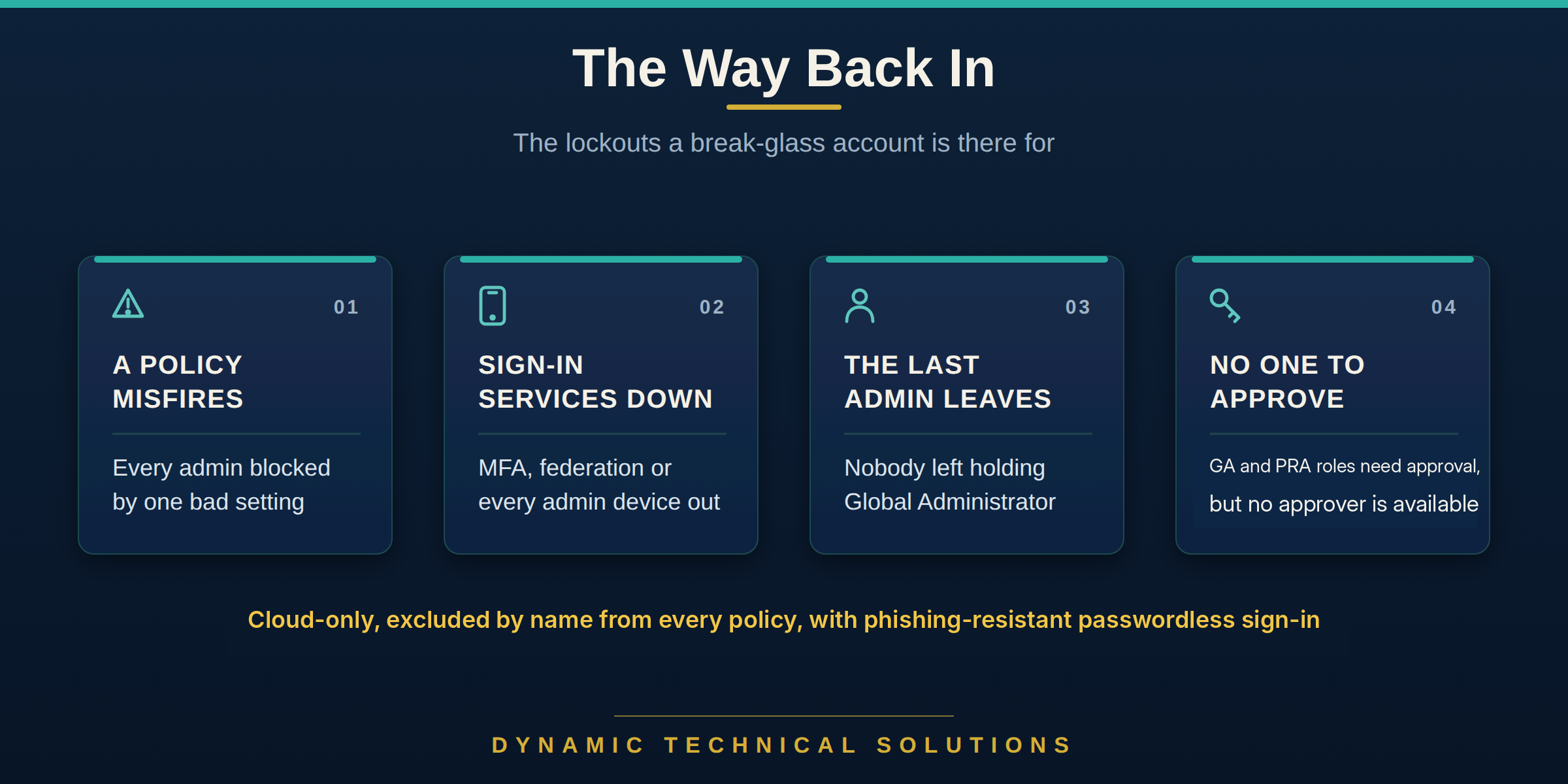
Microsoft’s emergency access guidance calls out the situations that matter: MFA or federation is unavailable, admins can’t use their registered devices, the last Global Administrator has left, or the top admin roles can’t be activated because approval is required and no approvers have been assigned.
They also matter when Conditional Access itself causes the problem. Microsoft’s Conditional Access deployment guidance specifically recommends emergency access accounts to prevent lockout caused by policy misconfiguration.
That’s really the point. When the normal way into the tenant is broken, blocked or unavailable, the break-glass account is that recovery path (the golden key): separate, trusted and there to get you back in.
Here’s one unusual example I witnessed firsthand that shows the value of emergency access accounts. A few years ago, a Microsoft issue caused location-based sign-ins to fail for roughly 12 hours. At one client, roughly 24,000 accounts were affected. The break-glass account got the client back into the tenant, allowing them to temporarily disable three location-based Conditional Access policies until Microsoft resolved the issue.
My dad understood being ready, and getting the people around him ready, long before I did. On one very cold morning in January 1995, I had a U-Haul packed in Hollywood, CA, and pointed at Denver, Colorado, and I honestly didn’t know what I was driving into. I’d never lived far from my folks. They came by that last morning to see me off, my mom holding on a little longer than usual. My dad handed me two things: a set of good double-ended jumper cables, the expensive kind, and a ratchet set. He didn’t explain why. He just said I’d need them.

More than thirty years later, that ratchet set still works. It’s crossed the country with me and outlasted every nicer set I’ve bought since, and the cables are still in the truck. My dad didn’t say much. He just made sure that wherever I ended up, I’d be able to fix it. I’ve passed the same thing along to my family and to the people I work with. Be ready, and help the people around you be ready too.
That’s what understanding a break-glass account gives a technologist. You’re ready before anything goes wrong, and so is whoever’s on call after you. This recovery path should never be a secret living in one person’s head. It should be drilled into the whole team and documented.
There’s one difference worth sitting with, though. Cables in a truck stay good for thirty years. A break-glass account doesn’t get that luxury.
Where does “we set it up” break down?
A break-glass account can be built correctly (to every standard) and still become unreliable a year later. The platform keeps changing while the account is rarely, if ever, used. Understanding why each part of this exists makes those changes easier to spot. The account isn’t finished just because it worked on the day it was created.
The belief underneath is a common one: “We set it up, so we don’t have to think about it anymore.” The setup worked, and getting it done can and typically does feel like the finish line. But as we’ve all seen, Microsoft routinely changes the platform, people move on, and these accounts still have to be ready years later.
As a clear example, picture two break-glass accounts built a few years ago. Both are cloud-only, each protected ONLY by a long random password with no MFA, sealed in an envelope in a geographically separate safe, and each excluded from every Conditional Access policy. When they were created, they worked perfectly. Then time entered the equation. Starting in October 2024, Microsoft began enforcing MFA for sign-ins to its admin portals (Azure, Entra, Intune and, from February 2025, Microsoft 365), and that requirement perforce includes break-glass accounts. Nothing changed with the accounts themselves. The platform changed around them.
So the night a policy, or something else, misfires and someone has to open that envelope, the password still works, but the account now hits Microsoft’s mandatory MFA requirement. Sure, it may be able to register a method and continue. Or worse, it runs straight into a newer Conditional Access policy your team added later and nobody remembered to exclude it from, or a Microsoft-managed policy that switched itself on after the account was built. Either way, it’s no longer the known, tested recovery path everyone thought was locked away safely.
As I often remind technologists (and wrote in Are Your Cybersecurity Skills Getting Sharper, or Just Older?), any craft works this way: “Fed by study and practice, it compounds. Left alone, it decays.” That applies as much to break-glass accounts as to the skills it takes to maintain them.

Microsoft’s current guidance is much more specific. For the points most relevant here, emergency access accounts should be:
-
Cloud-only .onmicrosoft.com identities with permanent, active Global Administrator assignments.
-
Configured with a phishing-resistant passwordless method, such as a passkey (FIDO2) or certificate-based authentication, different from the method used by normal admin accounts.
-
Protected from credential or authentication-device expiration and inactivity cleanup.
-
Protected in a restricted management administrative unit (RMAU), as recommended in Microsoft’s tenant recoverability guidance.
-
Monitored for any sign-in or use.
-
Validated at least every 90 days to confirm they still work.
Microsoft’s tenant recoverability guidance adds another layer of protection: place Tier 0 identities (the accounts that control everything else), including emergency access accounts, in a restricted management administrative unit (RMAU). This prevents tenant-scoped administrators from directly modifying or deleting those protected accounts unless they have explicit RMAU-scoped rights. Global Administrators and Privileged Role Administrators can still manage the RMAU, but doing so creates an additional, auditable management step.
That is the point worth really remembering. Microsoft will keep changing and improving platform security controls. The better your team understands these and why accounts are built the way they are, the easier it is to recognize when a platform change affects your recovery path.
This is precisely why we developed Conditional Access Foundation. It brings together 35 individual basics your technologists need to make stronger, more informed Conditional Access security decisions for your business.
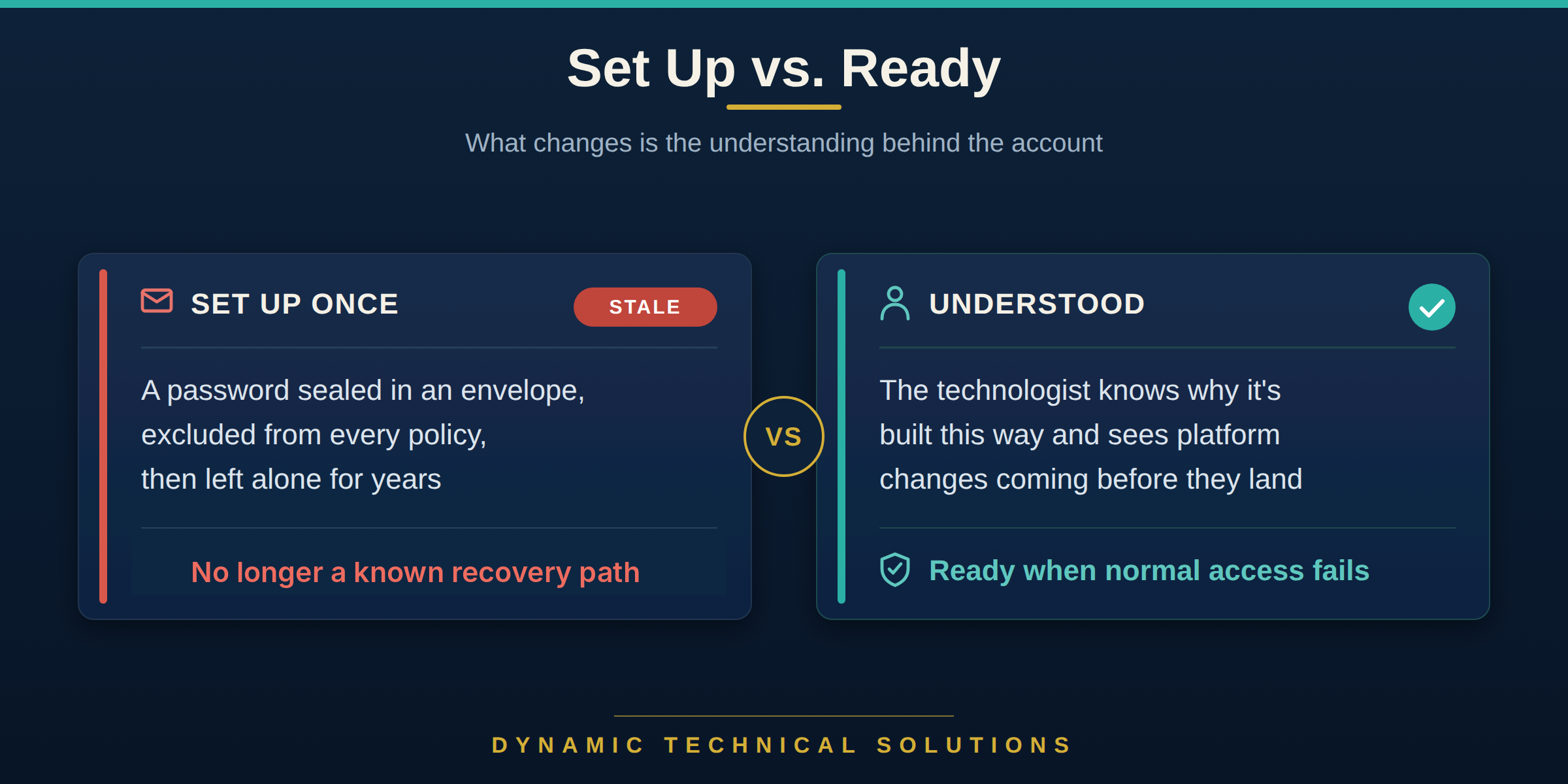
Does passing an audit prove you can get back in?
Absolutely not. An audit can confirm that the accounts and exclusions were present when the evidence was collected. That alone doesn’t prove your emergency access accounts can sign in today. Regular and routine sign-in tests answer a different question: whether your recovery path still works under today’s Conditional Access and authentication requirements.
This belief is a familiar one: “We passed the audit, so we’re secure.” But a screenshot showing each break-glass account excluded by name from every Conditional Access policy only proves the configuration existed at that moment. It does not prove the authentication method still works or that the account can actually sign in.
What understanding break-glass gives you:
-
Confidence to switch on a strong policy because you trust your recovery path.
-
Standards you’re able to document and pass to the next engineer.
-
A clear basis ensuring there are ZERO shortcuts.
-
A steadier hand at 2 a.m. because you know what the account can and can’t do.
These benefits start directly with your technologists. Technology, though, benefits second. When your team trusts a defined recovery path, they’re more confident transitioning tested policies (from report-only) into new security enforcement controls.
What does Conditional Access Foundation give the person at the keyboard?
Most technologists know Conditional Access tactically. Far fewer have been given the strategic foundation behind it. Conditional Access Foundation brings 35 fundamentals, foundations and standards together in one place, so your technologists understand both the strategy behind Conditional Access and the tactical decisions they make every day. Break-glass accounts are one of them.
The value starts with your technologist. Stronger fundamentals lead to better judgment, more consistent application and better results, especially when the pressure is on.
That is the gap Conditional Access Foundation is built to close. It adds no tools and no policies. It develops the knowledge and reasoning behind the person making the change.
Your security now benefits far more. Better-prepared technologists make fewer mistakes, apply standards more consistently, spot hidden gaps others may miss and make better security decisions for the business. Nothing replaces keeping those standards and practices within the organization, reducing tribal knowledge, improving handoffs and giving future technologists the same foundation from day one. As I put it in Are Your Cybersecurity Skills Getting Sharper, or Just Older?, “A standard that’s written, taught, and defended means a new hire inherits the real thing, not the version with a hole in it.”

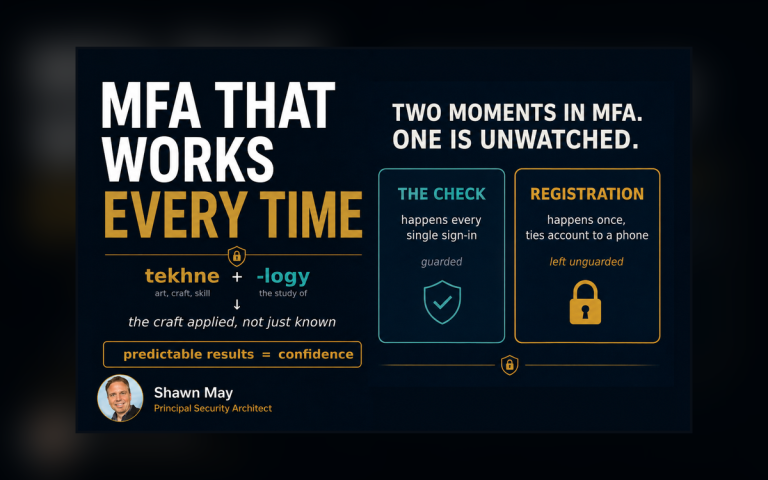
The word technology traces to Greek tekhnologia, built from tekhne, meaning art, skill or craft, and -logia, meaning discourse or study. That fits this work well. The account matters, but the technologist has to understand why it is built that way.
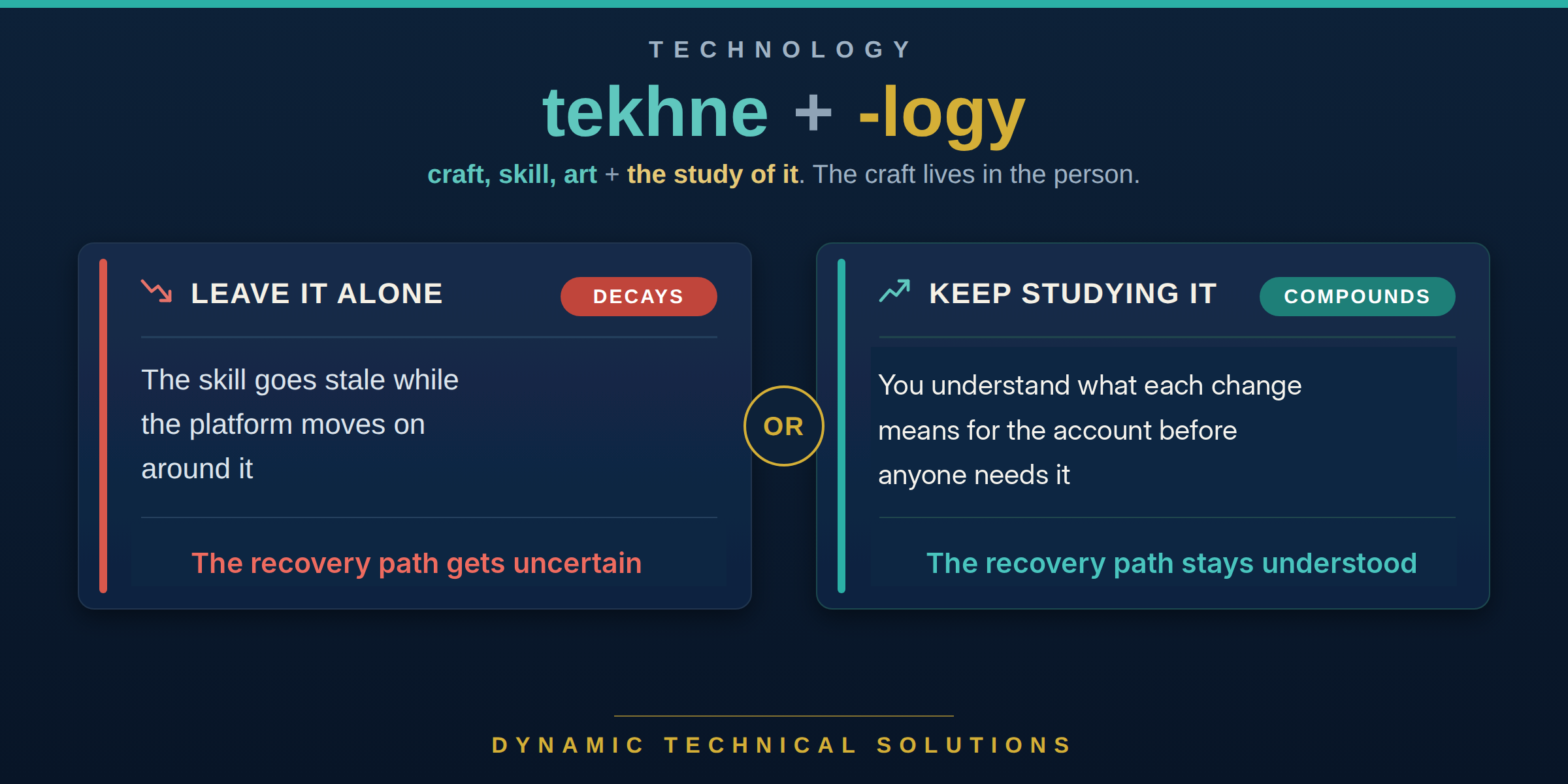
After what we’ve covered, take a step back. Picture a policy failure a month from now. The person on call knows what the account is, why it was built that way and what changed. They start with a known recovery path instead of trying to rebuild one in the middle of the incident.
One thing to try today:
-
Explain to a teammate, without opening the portal, why your break-glass accounts are built the way they are.
-
Name one Microsoft change that could affect whether those accounts still work.
-
If either answer is unclear, you’ve found a gap worth fixing before an outage.

Frequently asked questions
Q. What is a break-glass account in Conditional Access?
It’s an emergency access account: a cloud-only administrator account kept separate from normal admin dependencies so it can restore tenant access when normal paths fail. Microsoft recommends at least two. With our clients, each account is excluded (by name) from every Conditional Access policy, uses phishing-resistant passwordless authentication, and is protected in a restricted management administrative unit (RMAU).
Q. Does Microsoft’s mandatory MFA apply to break-glass accounts?
Yes. Microsoft’s system-enforced mandatory MFA applies to user accounts in scope, including break-glass accounts and accounts excluded from Conditional Access. Microsoft recommends passkey (FIDO2) or certificate-based authentication for your emergency access accounts. Both satisfy the mandatory MFA requirement, and Microsoft recommends using an authentication method different from normal administrator accounts.
Q. Does passing an audit prove a break-glass account works?
No. An audit can confirm that the accounts and exclusions were present when the evidence was collected. That alone doesn’t prove the accounts can sign in today. A current (plus routine) sign-in test answers a different question altogether: whether the recovery path still works under today’s Conditional Access and authentication requirements.
Q. What is Conditional Access Foundation?
It’s a product built for the technologists who maintain Conditional Access controls. At its core are 35 individual fundamentals, foundations and standards to understand before they build, change or manage policies, break-glass accounts among them. It adds no tools or policies. It improves what technologists know, how they reason and how consistently they apply the fundamentals.
Glossary
-
Conditional Access: Microsoft’s security controls for those entering or interacting with Microsoft 365.
-
Break-glass account: Microsoft’s emergency access account. A cloud-only admin account used to recover tenant access when normal admin sign-in fails. At DTS, each is excluded by name from every Conditional Access policy and uses only phishing-resistant passwordless authentication.
-
Mandatory MFA: Microsoft’s system-enforced requirement that user accounts complete multifactor authentication for covered Azure and Microsoft administration experiences, including break-glass accounts.
-
Phishing-resistant authentication: Authentication methods designed to resist phishing attacks, such as passkey (FIDO2) or certificate-based authentication.
-
Report-only: A Conditional Access policy state that evaluates most policies without enforcing them and records the result.
-
Restricted management administrative unit (RMAU): A Microsoft Entra administrative unit that blocks tenant-scoped administrators from directly changing protected member objects unless they have explicit permissions at that RMAU scope.
-
Conditional Access Foundation: The DTS product that teaches technologists the 35 fundamentals beneath every policy.
-
Technologist: The person who designs, builds, changes and maintains your technology.