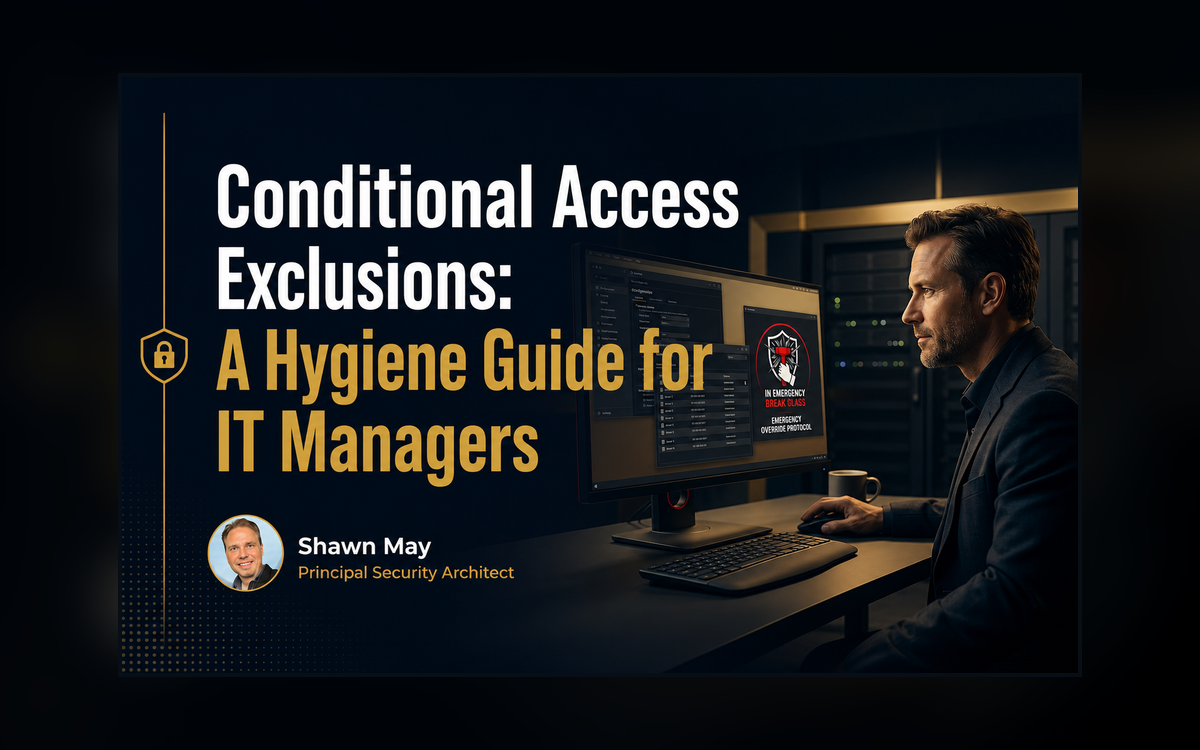
Conditional Access Exclusions: A Hygiene Guide for IT Managers
A Conditional Access exclusion is any user, group, role, or app you leave out of a policy, so that policy's control doesn't apply to them. A few exclusions are necessary, but each one is a standing gap: an identity that skips the check. The hygiene rule is simple. Keep exclusions few, name them, put an end date on them, record who approved each one, and review the list on a schedule.
What a Conditional Access exclusion actually is
Here's a scene I've watched play out more than once. A company gets hit, or nearly does, and when the team traces it back, the way in wasn't some clever attack. It was “one of those accounts that didn't need MFA.” Somebody excluded it from the policy months ago for a reason that made sense at the time. Nobody wrote down why, and nobody took it back out. The control was on for everyone the report said it was on for. This account just wasn't one of them.
Conditional Access is the set of if-then rules at the front door of your Microsoft 365 / Entra tenant. For each sign-in it decides: let them in, block them, or let them in only if they meet a condition like MFA, a compliant device, etc. An exclusion is who or what you leave out of a given policy. Leave out a user, a group, a role, or an app, and that particular policy's requirement stops applying to them. The policy still shows as on. The excluded identity just walks past the part you turned on to protect it.
This is the first thing I look at when a team asks me to check their setup. Not the policies they built. Justified or not, these are the holes they left in them.
Why every exclusion is a gap you own
Every exclusion is a decision to run without the control for someone (identity, app, location, etc.). Sometimes that's the right call. Break-glass admin accounts have to be excluded, or a misconfigured policy could lock every user and administrator out of the tenant. Microsoft says this plainly: create two or more emergency access accounts and exclude them from policies that block or restrict sign-in, because “an enforced Conditional Access policy could prevent sign-in during the exact emergency the account is designed for.” This exclusion happens to be deliberate. It's of course documented, and someone ideally watches it. This is the exception done right.
The trouble is the other kind.
- The exec who “can't do MFA,” excluded once and never revisited.
- The service account dropped into an exclusion group that keeps quietly growing.
- The temporary exception from a project that wrapped a year ago.
- The random location the service desk exclusion and then forgot about.
None of these were signed off as permanent risk. They just became permanent because nobody looked again. And here's the part that lands on you particularly. When the incident comes, the excluded account is the way in, and the question in the room is why the control everyone believed was on wasn't on for those.
Here's the same request at two different shops. An exec travels constantly and keeps failing MFA prompts on the road, and both IT managers are told to fix it.
- The first shop does the fast thing. They drop the exec into a group called VIP and exclude that group from the MFA policy. The complaints stop. A year later, three more names have been added to VIP because it was the easy fix, and none of them are written down anywhere. When that mailbox gets phished, the attacker signs in from overseas and never meets a prompt, because the account sat in a group nobody remembered.
- The second shop does the slightly slower thing. They set the exec up with a phishing-resistant method that actually works on the road. Where a short exclusion is still needed, they name it Exclude-MFA-CEO-Travel, give it a 30-day end date (covered in Conditional Access coaching), write one line recording who approved it, and alert when that account signs in. Same starting problem. One shop left a standing hole in the tenant. The other made a decision it can see and take back.
Regardless, in either cases, this situation would most likely fester into further exclusions. The master-of-his-craft would also, and immediately, seek to determine the source of what control wasn’t properly firing and move to solve long before this became a rampant series of “work arounds.”
It helps to step back to what “technology” even means, because it explains why this matters. Technology isn't the “gear” nor “tool”. Break the word down:
- tekhne, the Greek for craft or skill
- and -logy, the study of.
Technology is the art of taking what you know and making it work in the real world. What that art or craft adds to a business is prediction. You can say what will happen before it happens.

There's a simple test for this – Does it work? And, most importantly, does it work every time? “Most of the time” is a no. An exclusion is exactly where that second question fails. The control works, just not for the accounts that were inadvertently excluded. And an excuse for the gap, “it was temporary,” “they couldn't do MFA,” doesn't make the tenant any safer. None of this is sophisticated. Cleaning up exclusions isn't advanced security. It's the plain work of making the control true for everyone you said it covers.
Technology: the craft of putting what you know to work, so it works every time.

How to keep Conditional Access exclusions clean
What good looks like here is boring, and boring is the goal. Every exclusion on the list is one you can explain in a sentence: who it's for, why it exists, who approved it, and when it gets checked again. The list stays short because you fought to keep it short. A few habits get you there:
- Challenge every exclusion. For each one, ask if it's still needed and whether there's a tighter fix. A per-user exclusion beats excluding a whole group. A time-boxed exception beats a permanent one.
- Name it and write it down (ensure its published). The exclusion group's name should say what it is, and one line somewhere should record who approved it and why. If the name lies about the scope, the next person inherits the lie.
- Prefer temporary over permanent. Put an end date on exceptions and make someone renew them on purpose (checkout my access package coaching sessions). Silence shouldn't be how an exception survives.
- Review on a schedule. Once a quarter, walk the exclusions and take back the ones that no longer earn their place. Entra ID P2 has access reviews that automate part of this. Even a calendar reminder and a spreadsheet beats never.
- Keep break-glass the deliberate exception. Two or more emergency accounts, excluded on purpose, documented, and (especially) alerting when they sign in. That's the one exclusion you want, done the right way. As an additional note, consider registering FIDO2 for your emergency account.
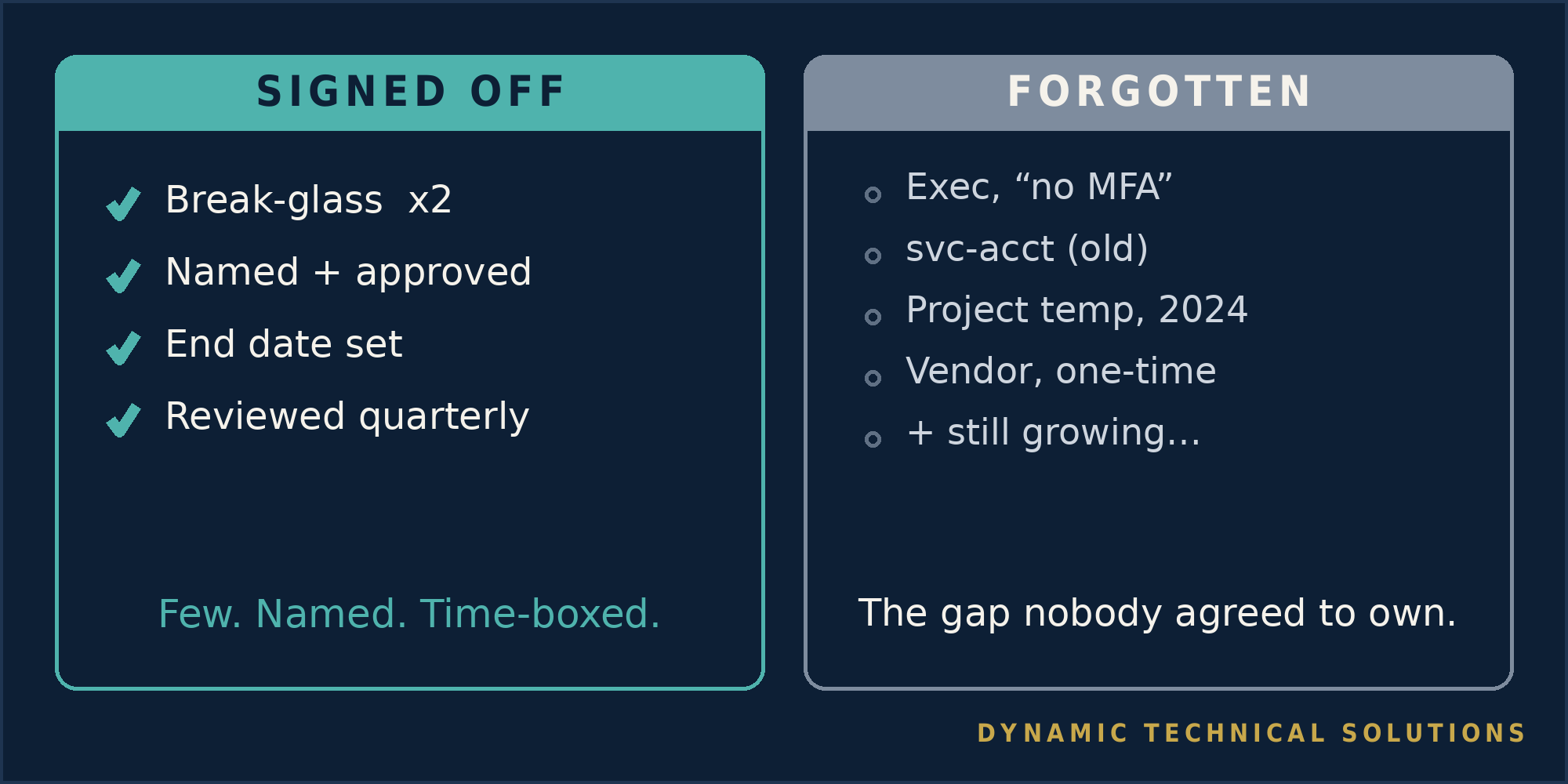
That review habit is one of the first things we build with a team, because it's the cheapest security win most of them are leaving on the floor.
One move today.
- Open your Conditional Access policies
- Write down all the exclusions on each policy
- Find the first account or group (or members) you can't explain in a sentence. Just one.
Find out why it's there, decide if it stays, and write down the answer. You've closed a gap nobody signed off on, and you've made the control true for one more identity it claimed to cover.

That distance between having Conditional Access turned on and having it actually cover everyone, every time, with controls to minimize exceptions, is where we coach businesses. Not the buttons or strict adherence to KBA instructions. The habit of making the control true and keeping it that way.
Frequently asked questions
Q. Should break-glass accounts be excluded from Conditional Access?
A. Yes.
Microsoft recommends creating two or more emergency access accounts and excluding them from policies that block or restrict sign-in, so that a misconfigured policy can't lock every admin out of the tenant. Keep them documented, and alert when they're used.
Q. Are Conditional Access exclusions bad?
A. Not on their own.
A few are necessary, like break-glass accounts. The risks are the exclusions nobody reviews. Each one is an identity that skips the control, so keep them few, named, time-boxed, and signed off. Ideally have a second control where these exclusions are time-based or from specific locations (such as permit from on-prem and block externally).
Q. How often should you review Conditional Access exclusions?
A. On a set schedule.
Quarterly is a reasonable default, plus any time a project ends or a person changes roles. The goal is that no exclusion survives just because nobody looked.
Q. What is the difference between an exclusion and an exception?
A. In practice people use them interchangeably.
Both mean leaving an identity outside of a control. What matters is whether it's deliberate and documented, an exception you own, or forgotten, a gap you don't know you have.
Glossary
Conditional Access. the if-then rules at the front door of your Microsoft 365 or Entra tenant. For each sign-in they decide: allow, block, or allow with conditions.
Conditional Access policy. one rule in that system. It sets who it applies to, the conditions, and what it requires.
Exclusion. a user, group, role, or app you leave out of a policy, so the policy's control doesn't apply to them.
Break-glass (emergency access) account. a cloud-only admin account kept excluded from policies so a bad policy can't lock everyone out. Microsoft recommends two or more.
MFA (multi-factor authentication). proving who you are with more than a password, like an app prompt or a one-time code.
Compliant device. a device your management tool confirms meets your rules (encryption, updates, and the like) before it's trusted.
Access review. an Entra ID P2 feature that has owners recertify who still needs access on a schedule, so stale access is removed.
Least exceptions. the hygiene principle of allowing as few exclusions as possible, because every exclusion is a standing gap.
Source: Microsoft Learn, “Manage emergency access accounts in Microsoft Entra ID” (learn.microsoft.com/en-us/entra/identity/role-based-access-control/security-emergency-access).