Eligible, Not Active: Why PIM-Enabled Groups Are the Right Way to Hold a Role
Enabling businesses to self-secure providing enterprise-grade security practices, regardless of size. Businesses shouldn’t REQUIRE massive IT security teams to keep their business safe.
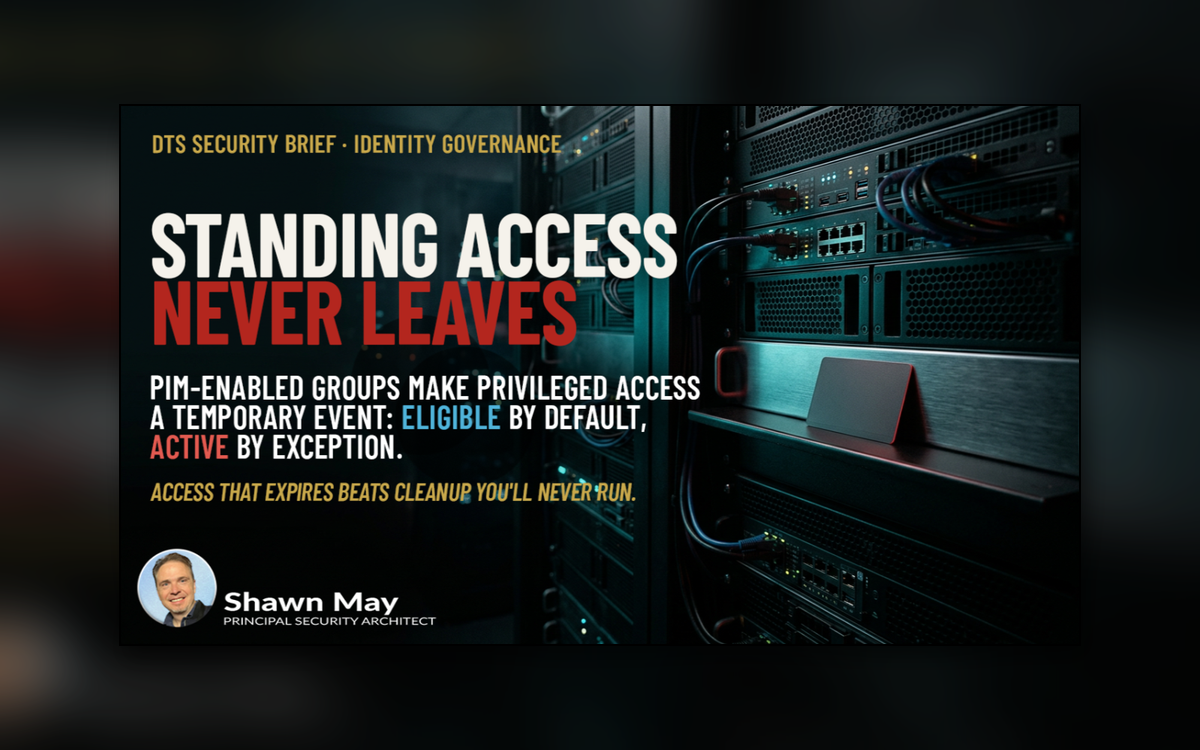
Privileged access has a shelf-life problem. A role granted for a project, an escalation, or an “I just need it for a week” request rarely gets taken back. Six months later that standing membership is still there – unused, unmonitored, and exactly the kind of foothold an attacker hopes to find. The fix is not better cleanup discipline. The fix is access that expires by design.

NEVER EXPIRES
𝗧𝗵𝗲 𝗺𝗼𝗱𝗲𝗹: 𝗿𝗼𝗹𝗲𝘀 𝗮𝘀𝘀𝗶𝗴𝗻𝗲𝗱 𝘁𝗼 𝗣𝗜𝗠-𝗲𝗻𝗮𝗯𝗹𝗲𝗱 𝗴𝗿𝗼𝘂𝗽𝘀
Instead of assigning Entra ID or Azure roles directly to individual users, assign the role to a role-assignable group managed by Privileged Identity Management (PIM). Membership in the group (not the role assignment itself) becomes the control point. This gives you three things direct assignment can’t:
-
𝗢𝗻𝗲 𝗽𝗹𝗮𝗰𝗲 𝘁𝗼 𝗴𝗼𝘃𝗲𝗿𝗻. The role is bound to the group once. Who can exercise that role is then governed entirely by PIM’s membership rules: activation limits, approval, MFA, justification, and audit.
-
𝗧𝗶𝗺𝗲-𝗯𝗮𝘀𝗲𝗱 𝗮𝗰𝗰𝗲𝘀𝘀 𝗯𝘆 𝗱𝗲𝗳𝗮𝘂𝗹𝘁. PIM membership can require activation for a bounded window (activation is capped at a maximum of eight hours), after which access lapses automatically. Nobody has to remember to remove anyone.
-
𝗔 𝗰𝗹𝗲𝗮𝗻 𝗮𝘂𝗱𝗶𝘁 𝘁𝗿𝗮𝗶𝗹. Every activation is logged with who, when, for how long, and why – evidence you can hand to an auditor instead of a spreadsheet of group memberships you hope is current.
𝗘𝗹𝗶𝗴𝗶𝗯𝗹𝗲 𝘃𝘀. 𝗔𝗰𝘁𝗶𝘃𝗲: 𝘁𝗵𝗲 𝗱𝗶𝘀𝘁𝗶𝗻𝗰𝘁𝗶𝗼𝗻 𝘁𝗵𝗮𝘁 𝗺𝗮𝘁𝘁𝗲𝗿𝘀
PIM supports two assignment states, and the difference is the entire security value:
-
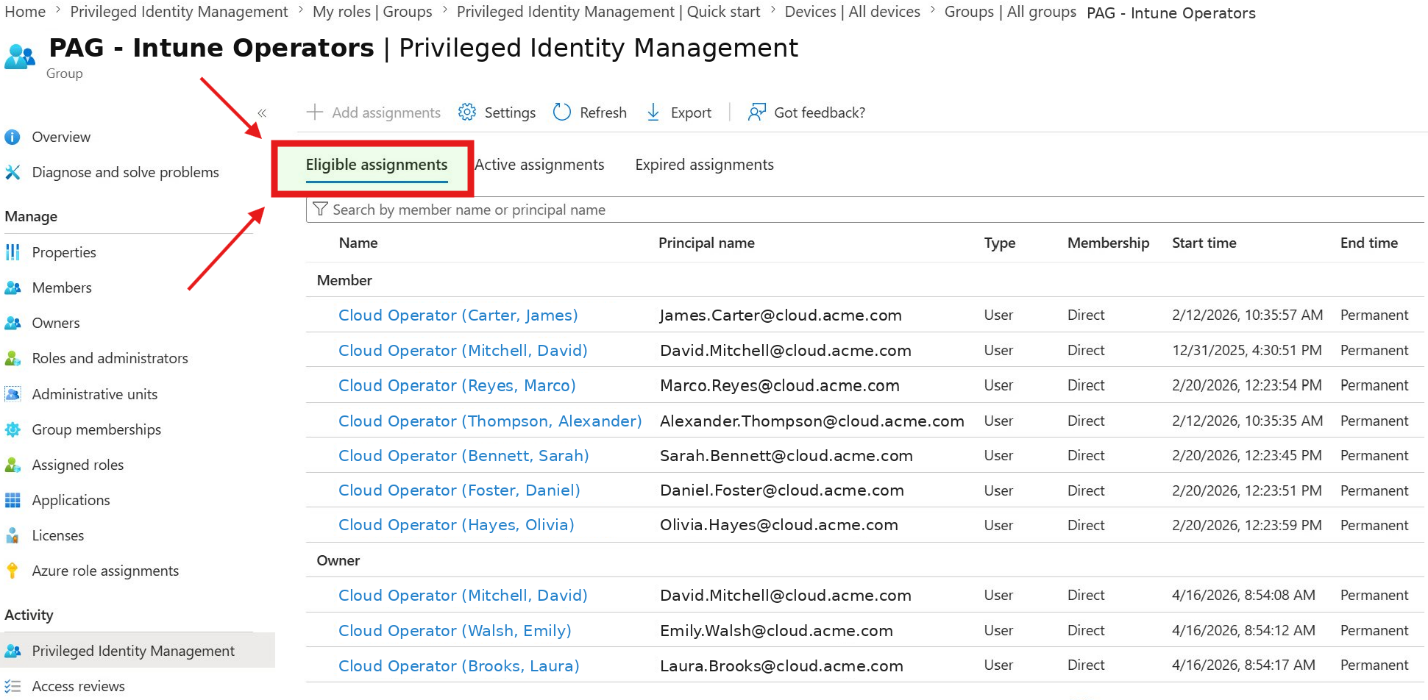
𝗘𝗹𝗶𝗴𝗶𝗯𝗹𝗲 means the user may hold the access but does not hold it right now. They must activate it (satisfying MFA, justification, and optionally approval) and the access is granted only for the configured duration. When the window closes, the access is gone. This is just-in-time access.
-
𝗔𝗰𝘁𝗶𝘃𝗲 means the user holds the access continuously. If the assignment also has no end date, it is standing privileged access – functionally identical to the perpetual group memberships PIM exists to eliminate.
Every member and owner of a PIM-enabled group should be 𝗘𝗹𝗶𝗴𝗶𝗯𝗹𝗲.
An Active assignment should be a deliberate, documented, time-boxed exception (a break-glass account is the classic example) never the default, and never permanent. The moment someone is added as Active with no expiration, you have quietly recreated the perpetual-access problem behind a PIM label.

member and owner of a PIM-enabled group should be 𝗘𝗹𝗶𝗴𝗶𝗯𝗹𝗲.
𝗧𝗿𝘂𝘀𝘁, 𝗯𝘂𝘁 𝗮𝗹𝗲𝗿𝘁: 𝗰𝗮𝘁𝗰𝗵𝗶𝗻𝗴 𝗔𝗰𝘁𝗶𝘃𝗲 𝗮𝗱𝗱𝗶𝘁𝗶𝗼𝗻𝘀 𝘄𝗵𝗲𝗻 𝘁𝗵𝗲𝘆 𝗵𝗮𝗽𝗽𝗲𝗻
Company policy says “Assign eligible only.” Reality says someone with sufficient rights can still add a member or owner as Active – by mistake, for convenience, or maliciously. That gap is closed with monitoring. The following Log Analytics (KQL) query watches the Entra ID audit log for direct group membership changes and is suitable to drive an alert rule (scope the group-name regex to your own PIM-enabled group naming convention):
AuditLogs
| where TimeGenerated > ago(30d)
| where OperationName in ("Add member to group", "Remove member from
group")
| where LoggedByService == "Core Directory"
| extend InitiatedByUser =
tostring(InitiatedBy.user.userPrincipalName)
| where isnotempty(InitiatedByUser)
| extend TargetUser =
tostring(TargetResources[0].userPrincipalName)
| mv-expand mp = TargetResources[0].modifiedProperties
| where tostring(mp.displayName) == "Group.DisplayName"
| extend GroupName = trim('"', coalesce(tostring(mp.newValue),
tostring(mp.oldValue)))
| extend GroupName = iff(isempty(GroupName), trim('"',
tostring(mp.oldValue)), GroupName)
| where GroupName matches regex
@"^PIM-(RoleGroupPattern1|RoleGroupPattern2)"
| project TimeGenerated, OperationName, GroupName, TargetUser,
InitiatedByUser, CorrelationId
| sort by TimeGenerated desc
Two design points worth noting:
-
𝗧𝗵𝗲 𝗶𝘀𝗻𝗼𝘁𝗲𝗺𝗽𝘁𝘆(𝗜𝗻𝗶𝘁𝗶𝗮𝘁𝗲𝗱𝗕𝘆𝗨𝘀𝗲𝗿) 𝗳𝗶𝗹𝘁𝗲𝗿 𝗶𝘀 𝗱𝗼𝗶𝗻𝗴 𝗿𝗲𝗮𝗹 𝘄𝗼𝗿𝗸. Legitimate PIM activations are written to the audit log as membership changes initiated by the PIM service (an application identity), not by a user. By keeping only events with a human initiator, the query deliberately ignores normal just-in-time activations and surfaces exactly the events you care about: a person directly adding (or removing) a member outside the PIM workflow – which is how a perpetual Active assignment gets created.
-
𝗧𝗵𝗲 𝗴𝗿𝗼𝘂𝗽-𝗻𝗮𝗺𝗲 𝗿𝗲𝗴𝗲𝘅 𝘀𝗰𝗼𝗽𝗲𝘀 𝘁𝗵𝗲 𝗮𝗹𝗲𝗿𝘁 to the governed groups so the signal stays clean. Adjust this pattern as the set of PIM-enabled groups grows.
Wire this query to an alert rule (5–15-minute evaluation window) and route it to the security operations channel. Anyone added as an Active member or owner outside PIM now generates a near-real-time signal that can be reviewed against an approved change – or rolled back.

Active Alert Rule
𝗧𝗵𝗲 𝗯𝗼𝘁𝘁𝗼𝗺 𝗹𝗶𝗻𝗲
PIM-enabled groups with role assignments turn privileged access from a permanent state into a temporary event. Set every member and owner to 𝗘𝗹𝗶𝗴𝗶𝗯𝗹𝗲, make Active assignments rare, justified, and expiring, and back the policy with an audit-log alert that catches direct additions the moment they happen. Access that expires on its own, plus a tripwire for the exceptions, beats any cleanup process you will ever run.
𝗘𝗹𝗶𝗴𝗶𝗯𝗹𝗲
If this article helped you tighten up your own PIM posture (or made you want to go check your Active assignments right now) let me know with a like, and drop a comment with what you found. I read every one.

𝗚𝗹𝗼𝘀𝘀𝗮𝗿𝘆
-
PIM (Privileged Identity Management) – the Entra ID Governance service that manages, time-bounds, and audits privileged access to roles and groups.
-
Role-assignable group – an Entra ID security or Microsoft 365 group created with the role-assignable property, allowing Entra roles to be assigned to the group itself.
-
Eligible assignment – a PIM assignment state where the user may activate access on demand but holds no privileges until activation.
-
Active assignment – a PIM assignment state where the user holds the privileges continuously, with no activation step.
-
Activation – the act of turning an eligible assignment into temporary access, optionally gated by MFA, justification, or approval; always time-bound.
-
Just-in-time (JIT) access – access granted only at the moment it is needed and only for as long as it is needed.
-
Break-glass account – a tightly controlled emergency account exempted from normal controls so administrators are never locked out; the textbook justified Active assignment.
-
Audit log – the Entra ID record of every traceable directory change, including group membership additions and removals.
-
KQL (Kusto Query Language) – the query language used in Log Analytics and Microsoft Sentinel to search and alert on log data.
𝗥𝗲𝗳𝗲𝗿𝗲𝗻𝗰𝗲𝘀
-
PIM for Groups (concept): https://learn.microsoft.com/en-us/entra/id-governance/privileged-identity-management/concept-pim-for-groups
-
Assign eligibility for a group in PIM: https://learn.microsoft.com/en-us/entra/id-governance/privileged-identity-management/groups-assign-member-owner
-
Configure PIM for Groups settings (MFA, approval, duration): https://learn.microsoft.com/en-us/entra/id-governance/privileged-identity-management/groups-role-settings
-
Activate group membership or ownership in PIM: https://learn.microsoft.com/en-us/entra/id-governance/privileged-identity-management/groups-activate-roles
-
Entra ID audit logs (concept): https://learn.microsoft.com/en-us/entra/identity/monitoring-health/concept-audit-logs
-
Analyze Entra activity logs with Log Analytics: https://learn.microsoft.com/en-us/entra/identity/monitoring-health/howto-analyze-activity-logs-log-analytics
-
Create log search alert rules in Azure Monitor: https://learn.microsoft.com/en-us/azure/azure-monitor/alerts/alerts-log
#PrivilegedAccess #EntraID #PIM #ZeroTrust #IdentityGovernance